








Hi everyone!
In today’s article, I want to talk about a new feature in macOS 27 that I found extremely interesting and that aligns with my interest in local inference: the fm command.
If you follow the blog, you know I’m very interested in local AI (I’ve talked about it in this article), but the idea that Apple has finally integrated direct access to its own Foundation Models via the terminal, without having to install external runtimes or manage API keys, is a huge plus, not only for non-experts but also for building macOS applications.
Let’s dive into the details and see how it works.
What is fm and where does it come from?
The fm command is a pre-installed CLI in macOS 27 that exposes Apple Intelligence models directly in the terminal, allowing us to interact with the system AI without installing any special engine.
Apple’s strategy is to leverage local inference whenever possible and scale to the cloud only for the most challenging tasks. This means:
- On-device model (
system): This is the local model (about 3 billion parameters in the base version, AFM 3 Core; more powerful Macs also have AFM 3 Core Advanced, a sparse 20-billion parameter model with 1-4 billion active parameters) that runs entirely on the Mac. It’s fast, works offline, and ensures maximum privacy. - Private Cloud Compute (PCC): If we need more reasoning power or a larger context, Apple announced the
--model pccoption, although it’s not yet available in all macOS 27 builds (on my Mac, as we’ll see, only the system model is present). In this case, the workload is handled by Apple’s secure servers, still maintaining the brand’s privacy standards.
This strategy seems to be the same one shared by Microsoft (I’ll point you to this article for details), but while Microsoft aims for high-performance local models (which require powerful and expensive machines), Apple focuses on small models for “simple” tasks, moving to the cloud only for complex ones.
Use cases: when to use it
Since it’s a relatively small model, it would be a mistake to treat it as a replacement for frontier models (Claude or GPT). Apple positions it for summaries, extraction, and classification, not for advanced mathematics, complex reasoning, or massive codebases.
However, for “pure productivity” activities, the system model is great for:
- Quick summaries: we can send a log file or a report to the command and get a synthesis in an instant.
- Data extraction: extracting emails, dates, or names from unstructured text.
- Classification: deciding if a ticket is a bug or a feature request, or classifying an email.
- Text rewriting: making an email draft sound more professional.
Warning: Be mindful that the context window is very limited—we’re talking about 8,192 tokens.
Let’s put it to the test
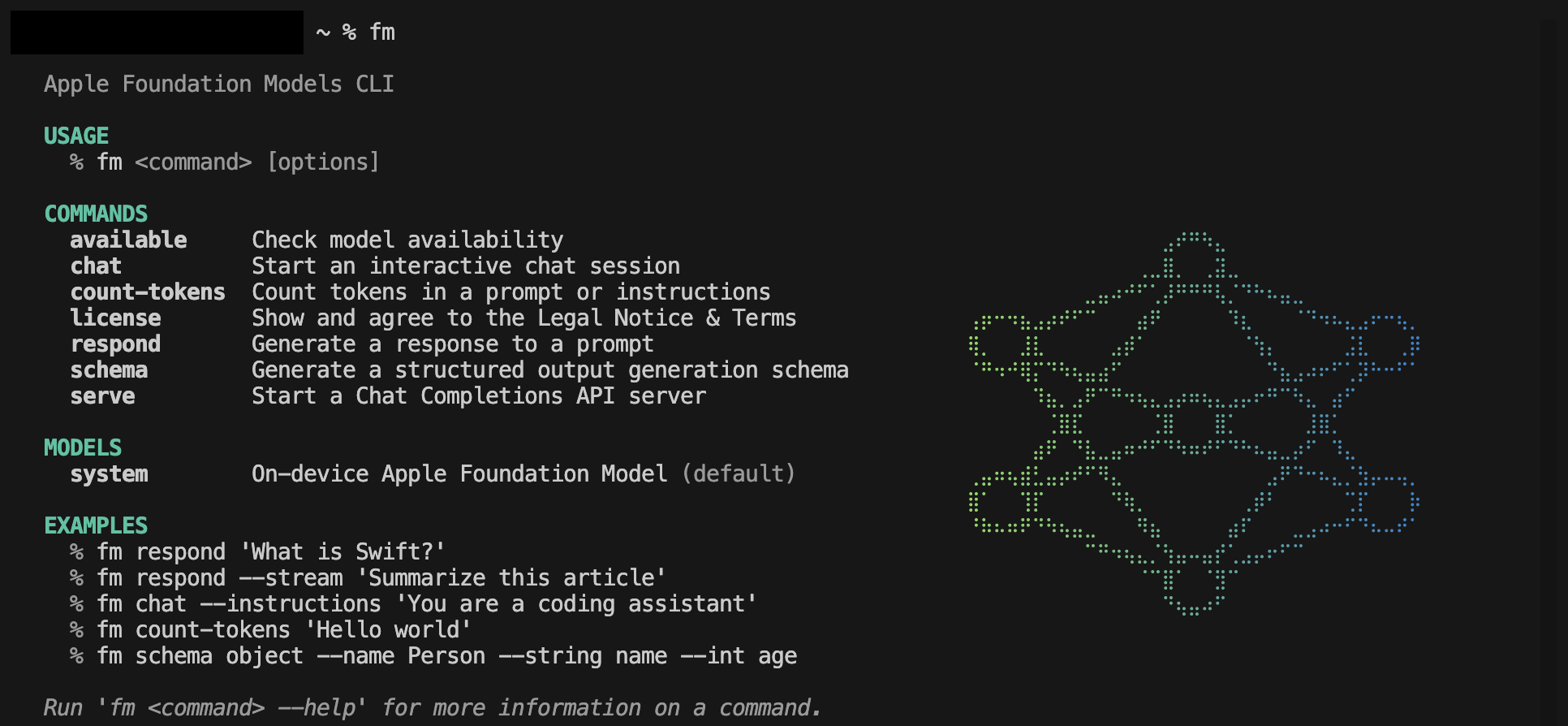
Once you’ve updated your Mac to macOS 27, you don’t need to install anything (the binary is located at /usr/bin/fm). The first time you run it, you’ll need to accept the license agreement (via sudo fm license).

Once done, the available commands, models (currently only the system model is present), and some examples will appear.
Advanced usage and integrations
Let’s see how we can actually use the tool in our workflows.
Terminal usage
The most immediate command is fm respond. We can query it directly:
fm respond "Summarize this text: [text]"Or, leveraging the shell, we can chain commands:
cat README.md | fm respond "How do I start the project?"If we prefer a more natural conversation, we can use fm chat, which opens an interactive session in a more classic style.
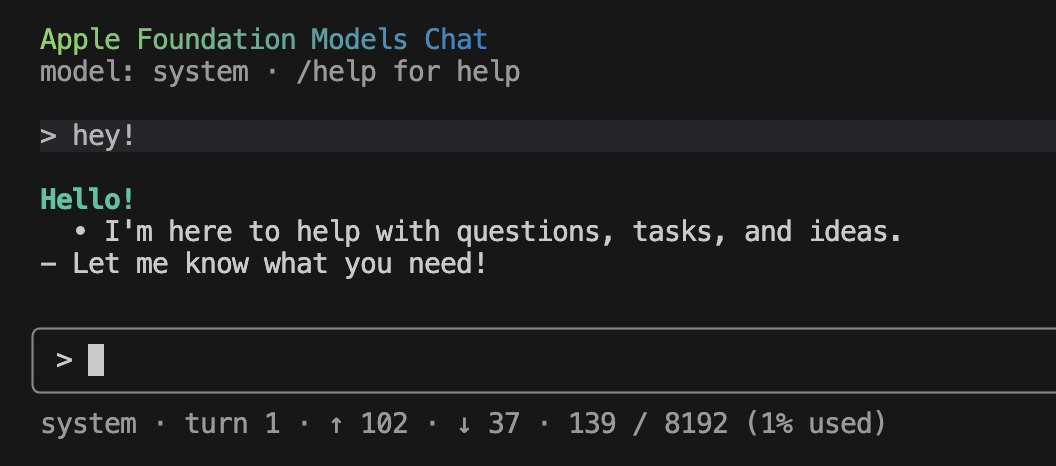
From my point of view, this mode is the least interesting; if I need a conversational mode, I’d lean on more powerful models, even local ones.
Unsloth Studio
This is the part that interests me most as a developer. fm isn’t just for end users; through the fm serve command, Apple exposes a local endpoint compatible with OpenAI APIs (Chat Completions).
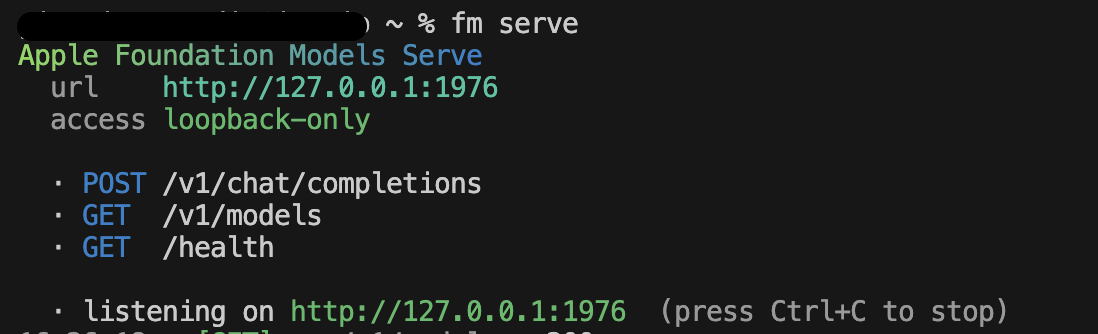
This means we can connect Apple’s local model to any tool that supports the OpenAI interface as a model provider.
Warning: Be aware of two limits: fm serve has no authentication and on macOS 27.0, tool calling doesn’t work yet. So, for building agents that use local tools (for example, MCP servers in .NET), it’s not yet the right choice.
Personally, I’ve tried the integration with Unsloth Studio, an open-source web UI for training, running, and exporting open models locally. Adding Apple’s model as a provider is trivial: just point to the endpoint exposed by fm serve in the configuration settings (Settings –> Connections –> Add a connection).
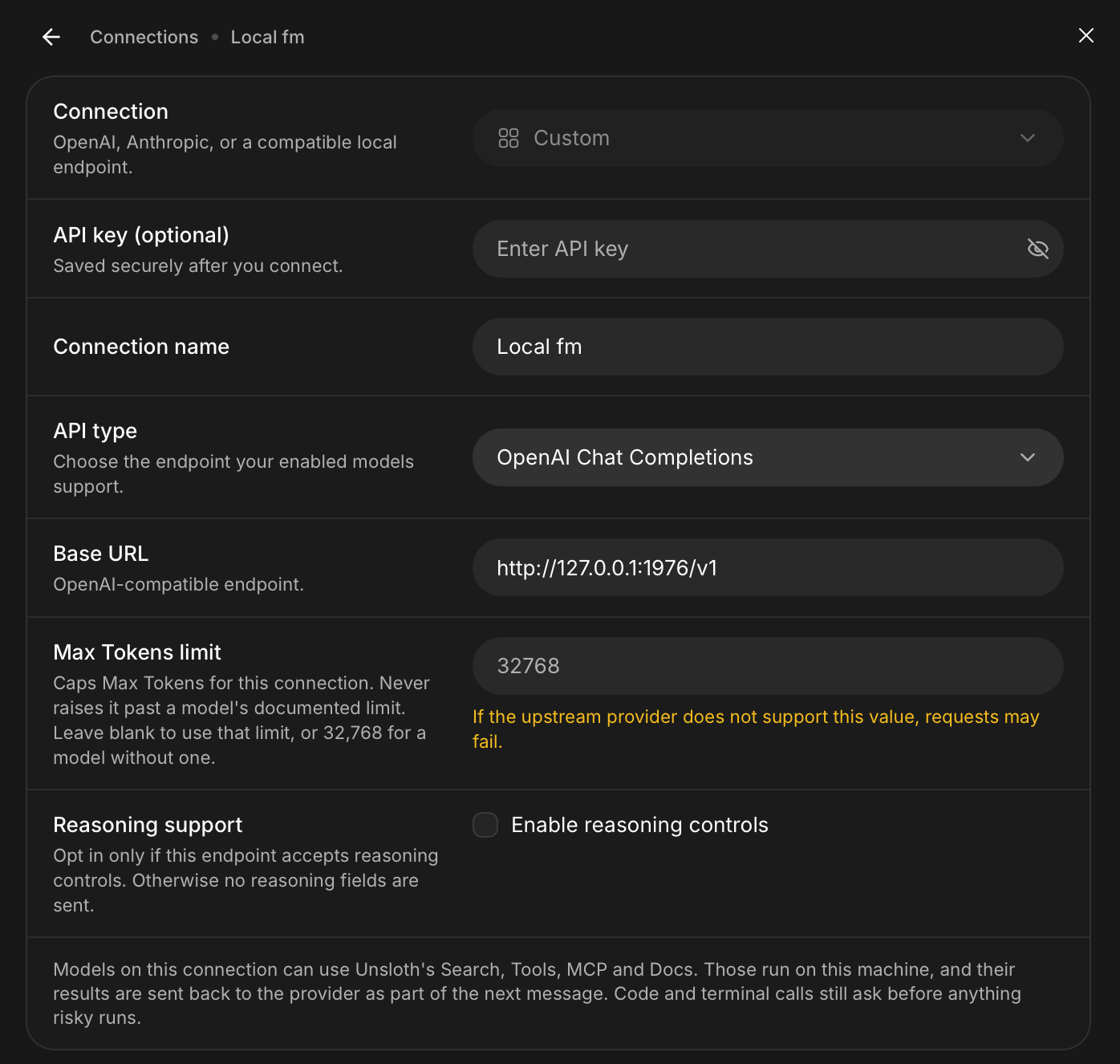
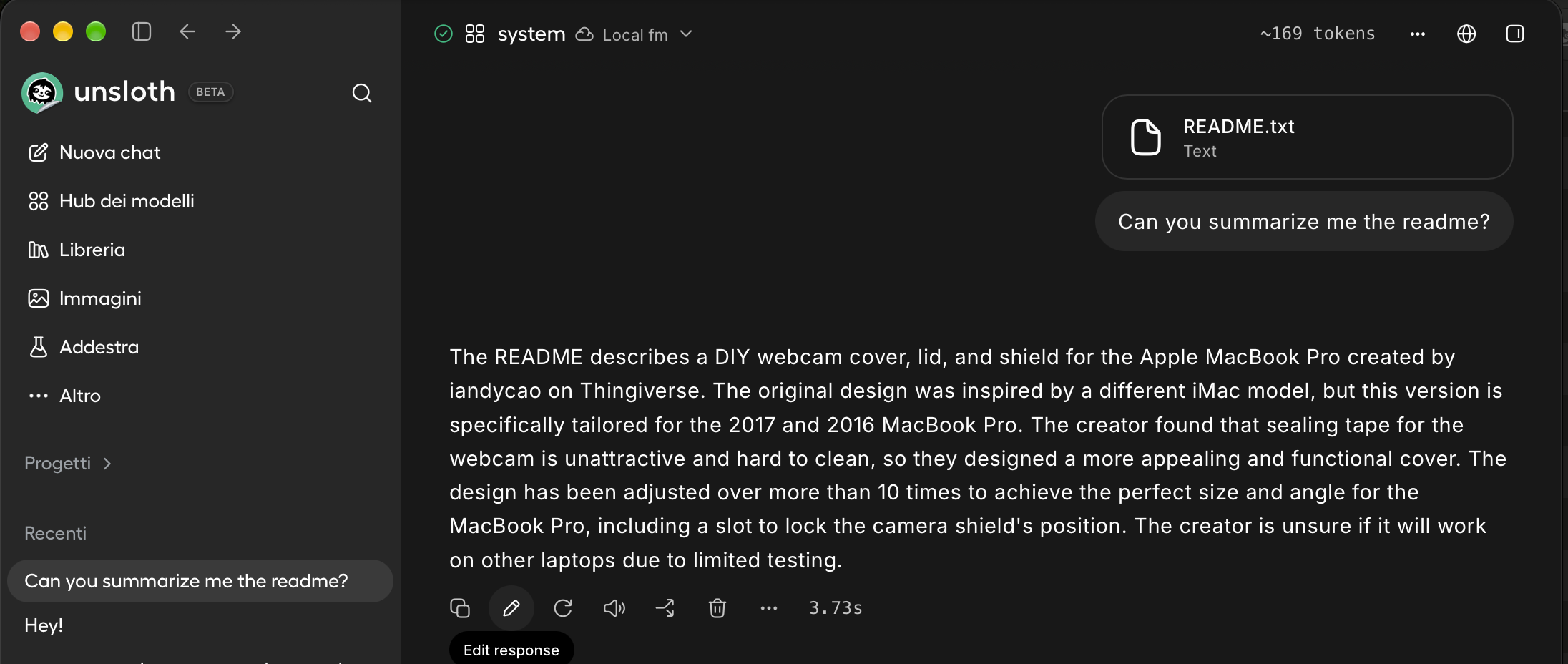
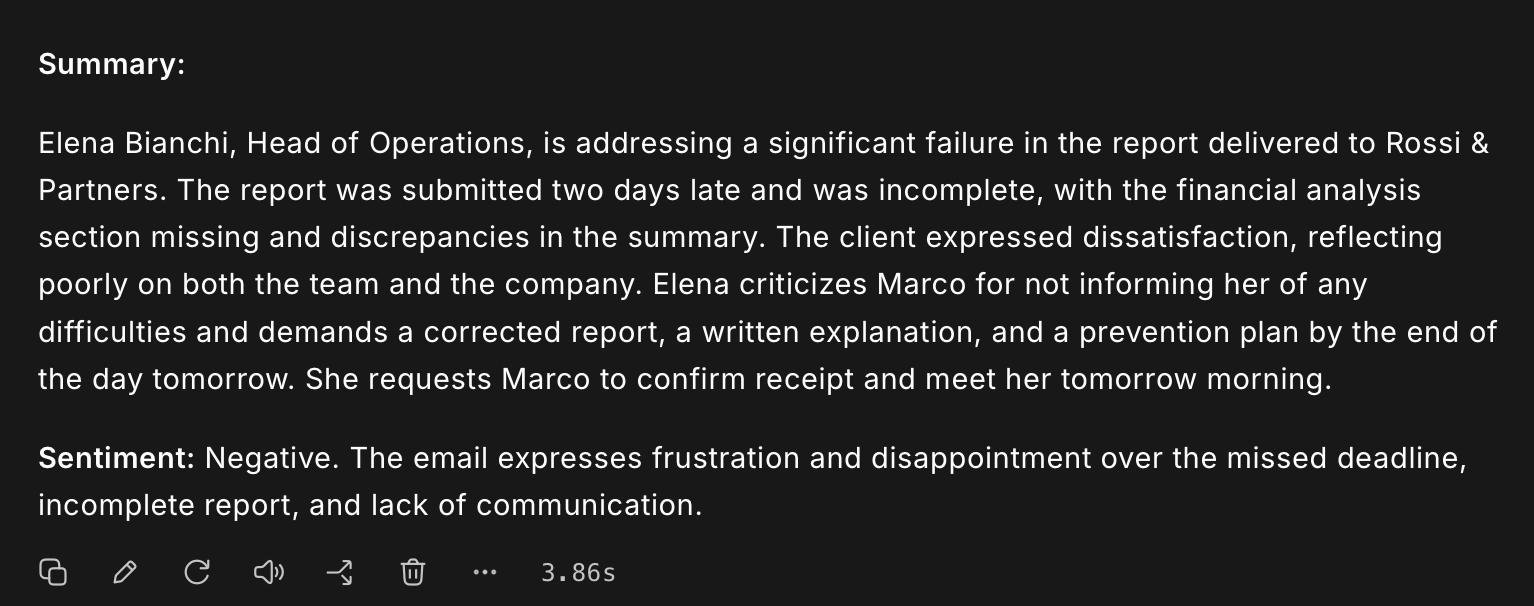
Once configured, we can test the model from an interface other than the terminal. I tried the model by asking for a summary of a readme.md file and sentiment extraction from an email: the results were surprisingly precise, considering we’re talking about a model running entirely on our hardware.
Putting it to the test
As a first test, I opened a new chat in Unsloth studio, passed it a readme file (from a 3D printing project I’d downloaded from printables.com) and asked it to summarize it.
As a second test, I had Claude generate an email and asked fm to summarize it and extract the sentiment.
Conclusions
In this article, we’ve seen how macOS 27 has finally brought local AI to a higher level of accessibility thanks to the fm command.
In my view, it doesn’t replace tools like Unsloth Studio, Ollama, or LM Studio for those who need to choose between dozens of open-source models or perform fine-tuning, but for daily automation and integration into macOS apps, it’s a significant value add. Native privacy and the absence of per-token costs make it the ideal companion for small NLP tasks.
My advice is to start experimenting with fm serve to connect it to your development tools: it’s the fastest way to see if Apple’s on-device model can replace some API calls that are costly in terms of time and privacy.